 Wristly
Answers with sources
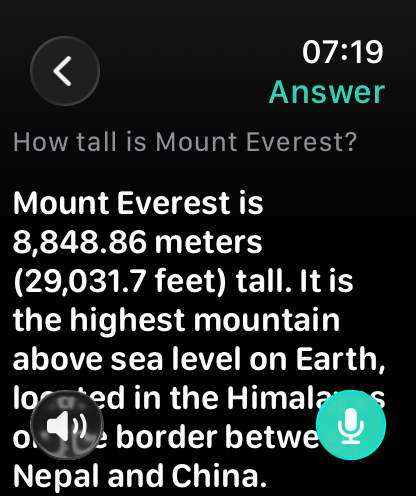
Short and clear for the small screen. Current info like weather, news and opening hours comes from the web, with sources. Follow up in the same conversation.
What's the weather tomorrow?
Just ask. Wristly answers in seconds with sources, runs timers, fills your shopping list and reminds you – right on your Apple Watch, even without your iPhone nearby.
Free to start · for Apple Watch with watchOS 10 or later
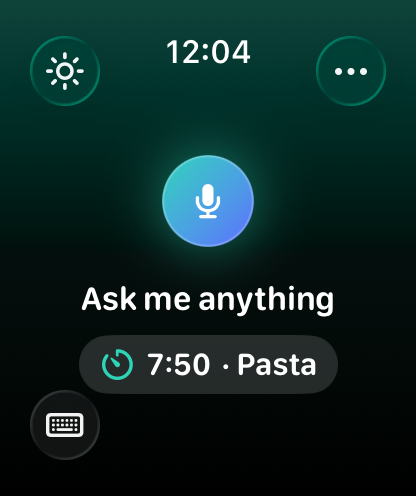
One tap on the watch face, one sentence – Wristly does the rest.
Short and clear for the small screen. Current info like weather, news and opening hours comes from the web, with sources. Follow up in the same conversation.
What's the weather tomorrow?
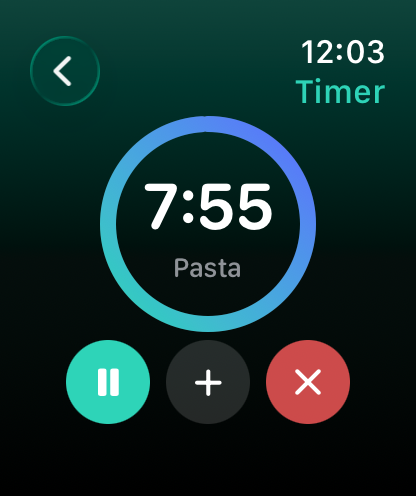
Several timers at once, with pause and “+1 min”. The countdown runs on your watch face and in the Smart Stack.
Timer 8 minutes pasta
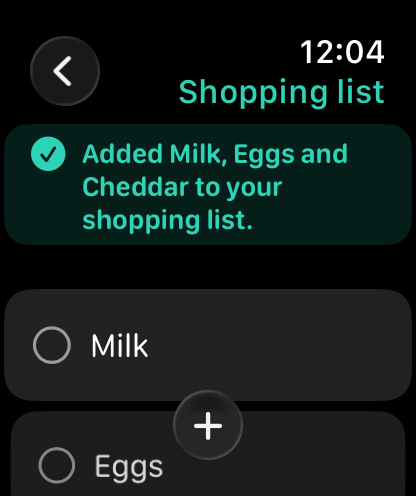
Shopping list, packing list or any other: fill it by voice, tick it off on your wrist, copy it into Apple Reminders on your iPhone.
Add milk and eggs to the shopping list
One-off or repeating – daily, on weekdays, every Monday or on the 1st of the month. “Done” and “In 15 min” right in the notification.
Remind me every Monday at 8 to take out the trash
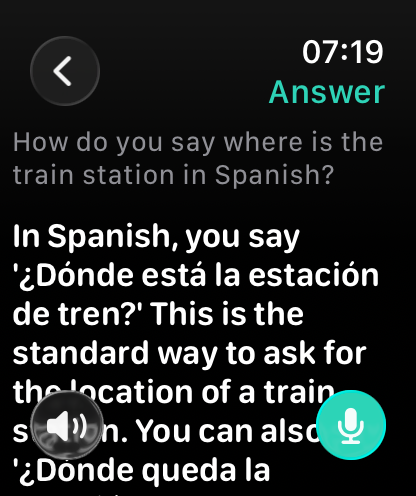
The translation big on screen – and read aloud in a voice of the target language. Made for travel.
How do you say ‘where is the station’ in Spanish?
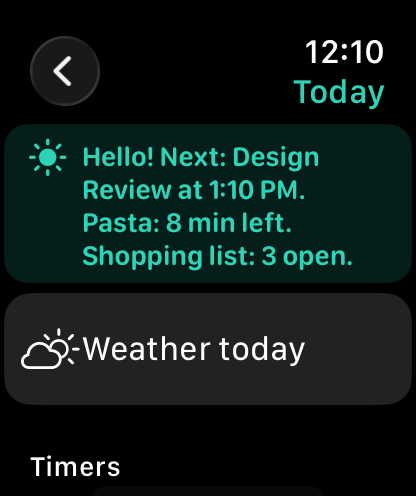
Events, due reminders, running timers and open lists in one sentence. The weather is one tap away.
Good morning
No signal? Wristly still records and answers once you're back online. Timers, lists and notes run right on the watch.
Note: buy batteries
Watch face complication, double tap, Control Center, Action button and Shortcuts – Wristly is one tap away.
Ask Wristly …
The complication, the mic in the app, or double tap.
Ask what you want to know – or tell Wristly what to do.
The answer appears in seconds. Read aloud if you like, automatically with AirPods.
Large type, clear answers, no detours.
Wristly asks before anything goes to its AI services for the first time – and you can withdraw that at any time.
Timers, lists, notes and reminders are always unlimited.
No. With the watch's Wi-Fi or cellular, Wristly works on its own. Without a connection it still records and answers once you're back online; timers, lists and notes work right away.
Any Apple Watch with watchOS 10 or later. No particular iPhone and no Apple Intelligence required. Double tap works on Series 9 and Ultra 2 or later.
The app is in English and German. Wristly understands and answers questions in many more languages – and translates into almost any.
Wristly uses Google Gemini (EU) for speech and general knowledge and Perplexity for current information from the web – with sources you can tap.
Touch and hold the watch face › Edit › swipe to Complications › tap a slot › Wristly. Choose “Ask Wristly”, “Next Reminder” or “Timer”.
Yes. In the iPhone app under Lists, one tap copies all open items into a Reminders list of the same name. Reminders can also be handed over automatically.
It's free to start with 5 answers a day. Wristly Plus costs €4.99 a month or €34.99 a year, with a 7-day free trial. Manage the subscription in your Apple ID settings.
Recordings are processed in the EU and not stored. There's no account and no tracking. All details are in the privacy policy.
Wristly – the AI that's always where your hand is.